Grant the Use Any API Auth permission so the Field Nation connector keeps signing in to Salesforce after December 1, 2026.
This is Phase 1 of the client credentials auth flow migration. For Phase 2, see Get client credentials.
Salesforce announcement: SOAP API login() Retirement & new Security Requirements
The Field Nation connector signs in to Salesforce with the integration user's username, password, and security token. Salesforce handles that sign-in through its SOAP API login() call.
Salesforce is tightening control over this call. Starting December 1, 2026, Salesforce only accepts a SOAP API login() from users who have the Use Any API Auth permission, so only users an admin has approved can still sign in this way. This is part of Salesforce's plan to retire SOAP API login() in its Summer '27 release (Assign Use Any API Auth Permission for SOAP login() (Release Update)).
One thing is required: grant Use Any API Auth to your Field Nation integration user through a permission set.
If the integration user does not have Use Any API Auth by December 1, 2026, the connector can no longer sign in to Salesforce and work orders stop syncing.
The integration user is the Salesforce user the connector signs in as.
Permission Sets and click Permission SetsThis is the same System Permissions page used to set up a Dedicated Integration User (see System permissions).
API Auth) and select its checkbox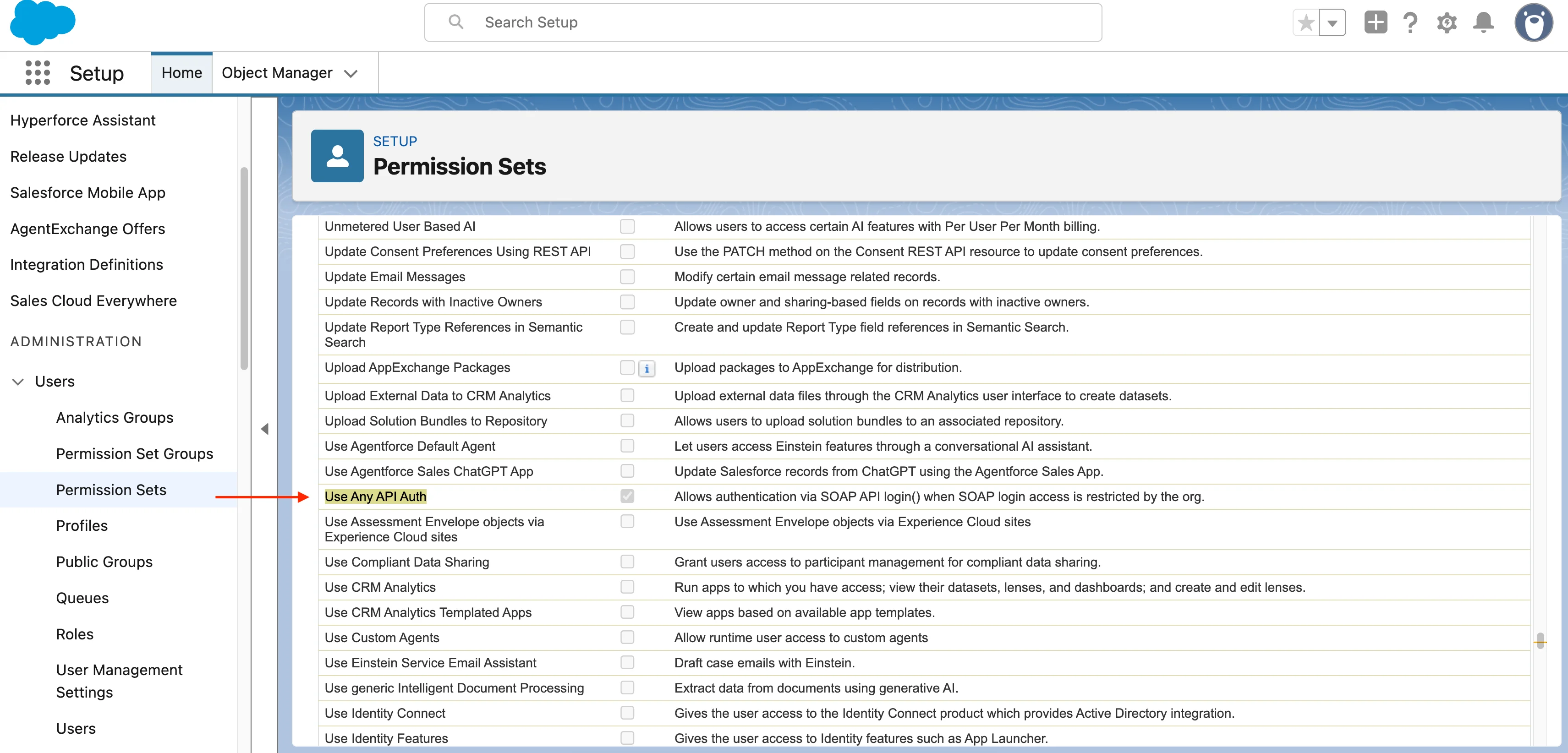
Last updated on
Parts Sync
Sync parts added to Field Nation work orders directly to a custom Parts object in Salesforce, keeping inventory and logistics data in one place.
Get client credentials
Create a Salesforce External Client App and get the client ID, client secret, and My Domain name the Field Nation connector needs to sign in.
