Create a Salesforce External Client App and get the client ID, client secret, and My Domain name the Field Nation connector needs to sign in.
This is Phase 2 of the client credentials auth flow migration. Keep the Phase 1 permission in place until the connector is signing in with client credentials.
Salesforce is retiring SOAP API login(), the username, password, and security token sign-in the Field Nation connector uses today. The replacement is the OAuth 2.0 client credentials flow: the connector signs in with a client ID and client secret from an app in your Salesforce org, and Salesforce runs every request as an integration user you choose.
This page is for the Salesforce admin. When you finish, you'll have the three values the Field Nation connector needs to authenticate:
| Field Nation field | Salesforce name | Where you find it |
|---|---|---|
| Client ID | Consumer Key | Copy the client ID and client secret |
| Client Secret | Consumer Secret | Copy the client ID and client secret |
| Instance Name | My Domain name | Find your My Domain name |
Anyone with the client ID and client secret can read and write Salesforce data as your integration user. Enter them directly in the Field Nation Integration UI. Never send them in a support ticket, Slack, or email.
In Salesforce, click the Gear Icon at the top right → Setup
In Quick Find on the left, type External Client App Manager and click External Client App Manager
Click New External Client App
Under Basic Information, fill in:
| Field | Value |
|---|---|
| External Client App Name | Field Nation Integration |
| API Name | Field_Nation_Integration (auto-populated from the name) |
| Contact Email | A monitored service mailbox, e.g. fn-integration@acme.com |
| Distribution State | Local |
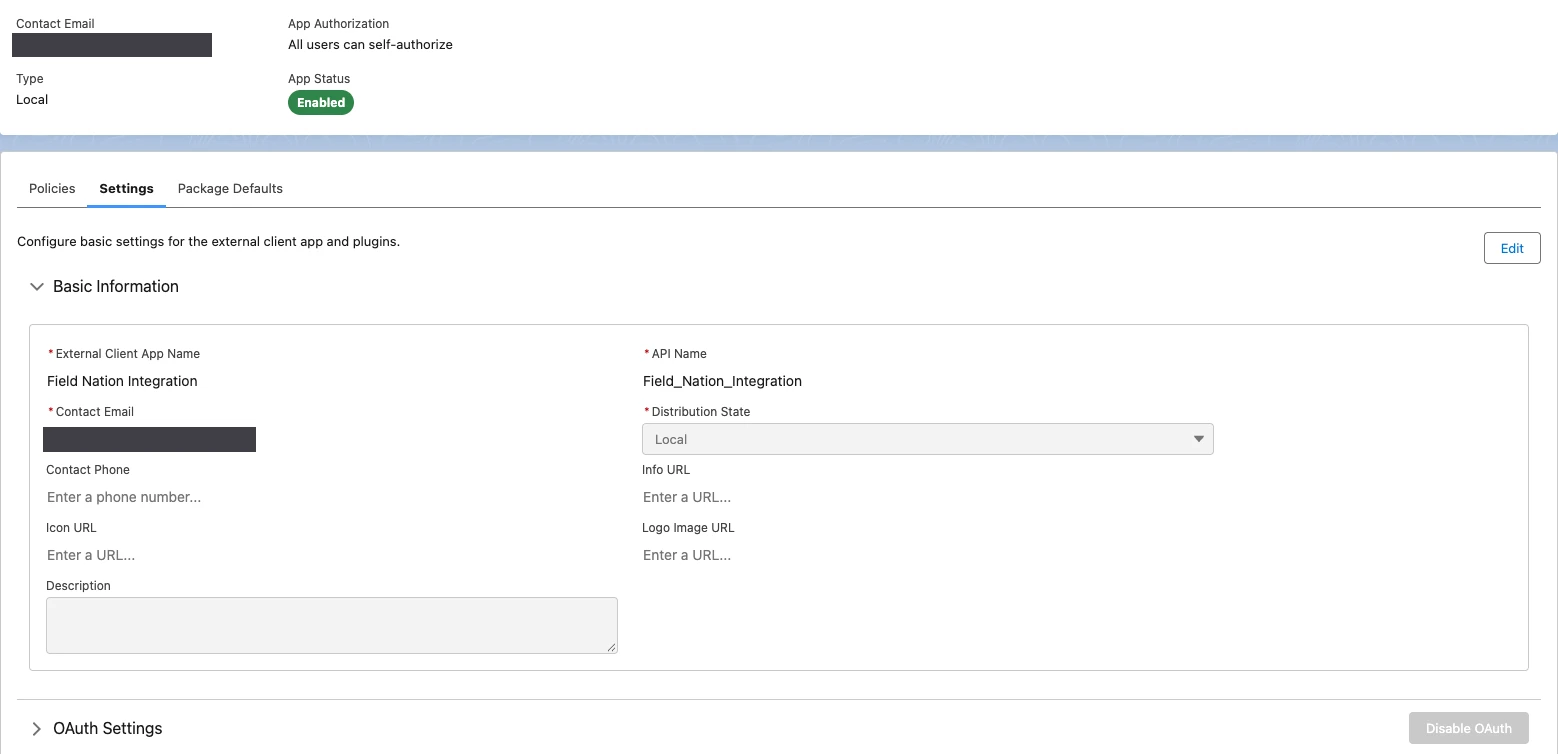
Stay on the same form. These settings control how the connector signs in and what it can do.
https://login.salesforce.com/services/oauth2/success. Salesforce requires a value, but the client credentials flow never redirects to it. Don't use the Field Nation Trigger URL here.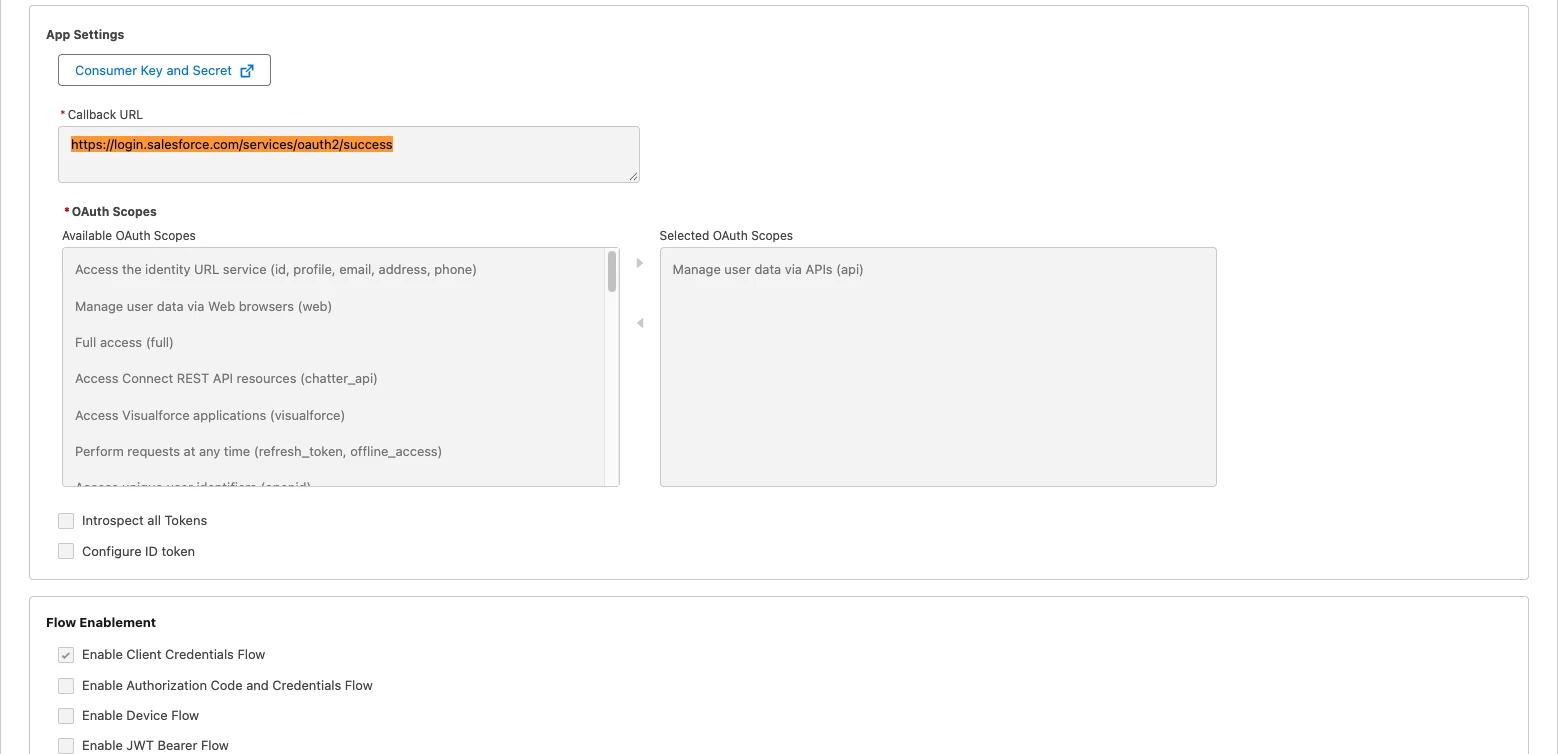
The client credentials flow has no interactive sign-in, so Salesforce needs to know which user to run requests as. Every record the connector creates or updates is attributed to this user, and the connector can only access what this user can access.
fn-integration@acme.com.prod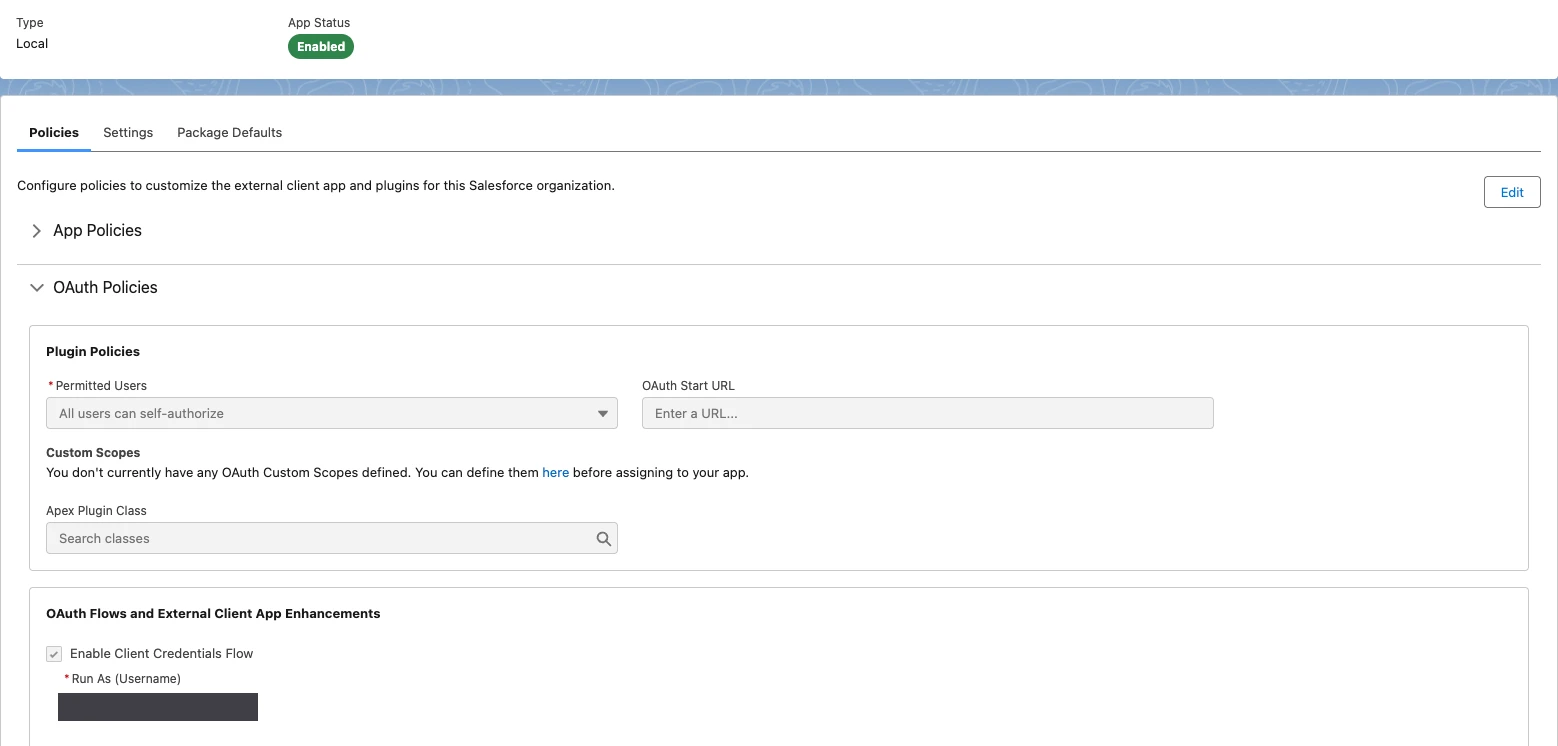
The Run As user must be active and have API Enabled. If you set up the
dedicated integration user,
the FieldNation Integration permission set already grants it.
Salesforce calls the client ID the Consumer Key and the client secret the Consumer Secret.
New credentials can take up to 10 minutes to work across Salesforce. If the connection test fails right after you create the app, wait and try again.
The client credentials flow only works against your org's My Domain URL. Salesforce rejects it on login.salesforce.com and test.salesforce.com. The connector builds this URL from the Instance Name and Instance Type fields, so you only need the My Domain name: the part before .my.salesforce.com or .sandbox.my.salesforce.com.
My Domain in Quick Find and click My Domain.my.salesforce.com or .sandbox.my.salesforce.com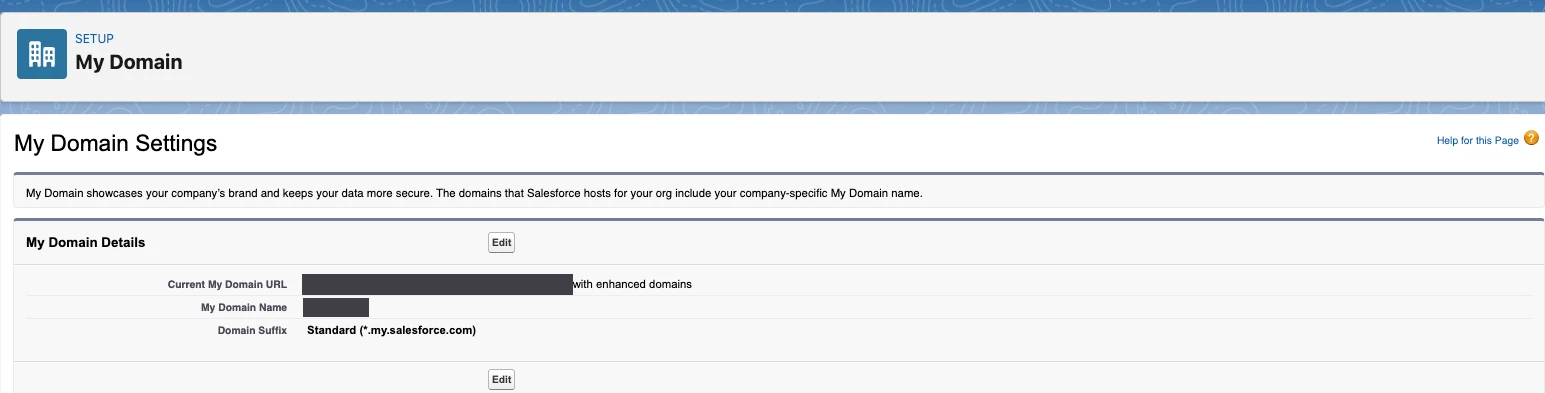
| Org type | Current My Domain URL | Instance Name | Instance Type |
|---|---|---|---|
| Production | acme.my.salesforce.com | acme | production |
| Sandbox | acme--uat.sandbox.my.salesforce.com | acme--uat | test |
Instance Type must match your org. The connector adds .sandbox only
when Instance Type is test, so a sandbox name with Instance Type
production points to the wrong domain. Don't use the subdomain from your
browser's address bar (lightning.force.com) or the Instance field on the
Company Information page.
If your Current My Domain URL doesn't match either pattern, for example a
Developer Edition org ending in .develop.my.salesforce.com, enter the full
URL in Instance Name instead.
In Field Nation, open the Salesforce connector's settings in the Integration UI
Fill in these fields:
| Field | Value |
|---|---|
| Instance Name | Your My Domain name, e.g. acme--uat |
| Instance Type | production or test, matching your org |
| Client ID | The Consumer Key |
| Client Secret | The Consumer Secret |
Click Save to run the connection test (see Test connection)
A passing connection test alone doesn't confirm the connector is using client credentials. Check both of these:
success in Event HistoryField Nation Integration (your External Client App) as the application.If Login History still shows username and password logins, Field Nation hasn't enabled client credentials for your account yet. Keep the User Name, Password, and Token fields filled in, and contact Field Nation Support to confirm.
Rotate the secret on a regular schedule, and immediately if it may have been exposed. Anyone holding the current secret can get an access token for your org.
Revoke the old secret only after Field Nation is saved with the new one. Revoking first stops work orders from syncing until the new secret is entered.
Last updated on
