Configure time log synchronization and Time Log ID storage for the Autotask PSA connector, including the new Internal Notes storage option.
This guide covers Autotask-specific mapping details. For general field mapping concepts and transformation types, see Field Mappings.
When a provider logs time on a Field Nation work order, those time entries sync to Autotask's Time Entry section through the outbound integration. This includes the initial time log creation and any subsequent edits — if a provider updates their logged hours, the corresponding Autotask time entry updates automatically.
When a provider edits their logged time on Field Nation — adjusting hours, updating notes — that change needs to update the correct time entry in Autotask rather than creating a duplicate. To make this work, the connector tags each time entry with a reference ID from Field Nation. This is stored in one of Autotask's note fields (either Summary Notes or Internal Notes — your choice), so the connector always knows which entry to update.
You can choose which Autotask Time Entry field stores the time log ID:
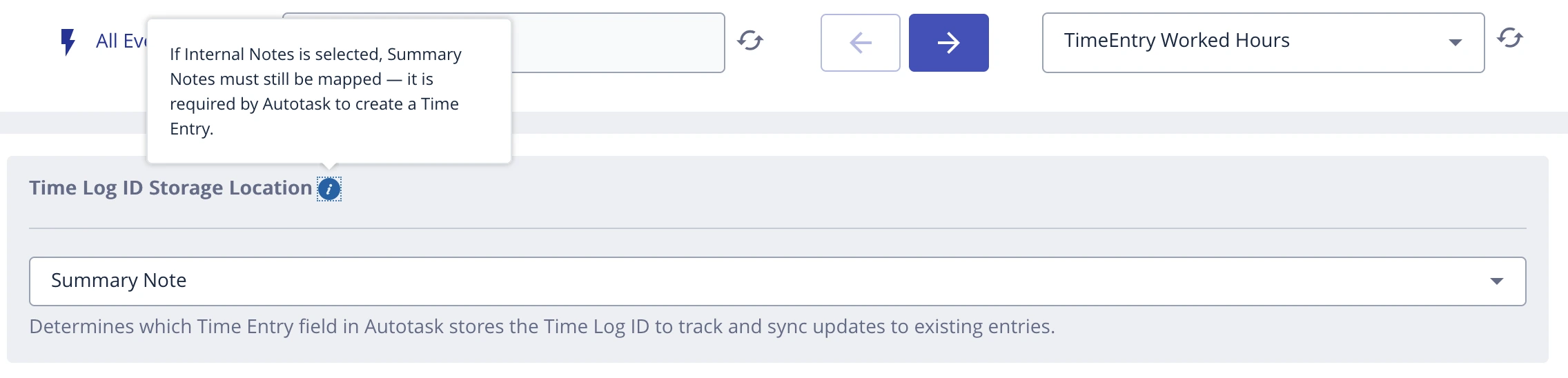
If you select Internal Notes, you must separately map Summary Notes to a Field Nation field. Summary Notes is a mandatory field in Autotask — if it's empty, time entries will not be created.
Regardless of which field you choose for the time log ID, both Summary Notes and Internal Notes can still be mapped to Field Nation fields. The stored value depends on whether the field has a mapping and whether it's used for time log ID storage:
| Scenario | Stored Value | Example |
|---|---|---|
| Time log ID + mapped notes | (#{id}) {mapped notes} | (#103) Replaced HVAC unit and tested airflow |
| Time log ID only (no mapping) | (#{id}) | (#104) |
| Mapped notes only (not used for ID) | {mapped notes} | Verified network connectivity and rebooted router |
The connector uses the (#{id}) prefix to identify which time entry to update when the time log is edited on Field Nation.
In the Autotask connector configuration, locate the Time Log ID Storage Location dropdown and select either Summary Notes or Internal Notes.
If you selected Internal Notes as your storage location, you must map Summary Notes to a Field Nation field. Summary Notes is mandatory in Autotask — without a mapping, time entries will not be created.

This mapping is only required when Internal Notes is your Time Log ID storage location. If you're using the default Summary Notes storage, no additional mappings are required for time log sync to work.
Create a test work order in Field Nation's sandbox, add a time log, and verify:
(#{id}) prefix)| Storage Location | Summary Notes | Internal Notes |
|---|---|---|
| Summary Notes (default) | Stores time log ID (mapped value appended after ID) | Optional — mapped value only if configured |
| Internal Notes | Must be mapped to a Field Nation field (mandatory for time entry creation) | Stores time log ID (mapped value appended after ID) |
Last updated on
Workflow Setup
Configure outbound sync, automated inbound triggers, webhook conditions, and data loading for the Field Nation–Autotask connector.
Additional Charge Sync
Sync Field Nation work order expenses to Autotask ticket Charges by selecting your sync target and configuring field mappings on the Additional Charges page.
