Trigger Smart Dispatch from work order mappings using accepted true-value payloads.
Smart Dispatch automates the assignment of work orders by creating a time-bound request window for providers within a specific service territory. The system automatically assigns the best match based on predefined Project rules and provider tiers.
Integration Capability: A dedicated mappable field allows external systems to programmatically trigger this automation once the Work Order is ready. These configurations are bidirectional.
To successfully trigger Smart Dispatch via integration, the work order must have:
The mappable field in the Integration UI is available in the Dispatch section as:
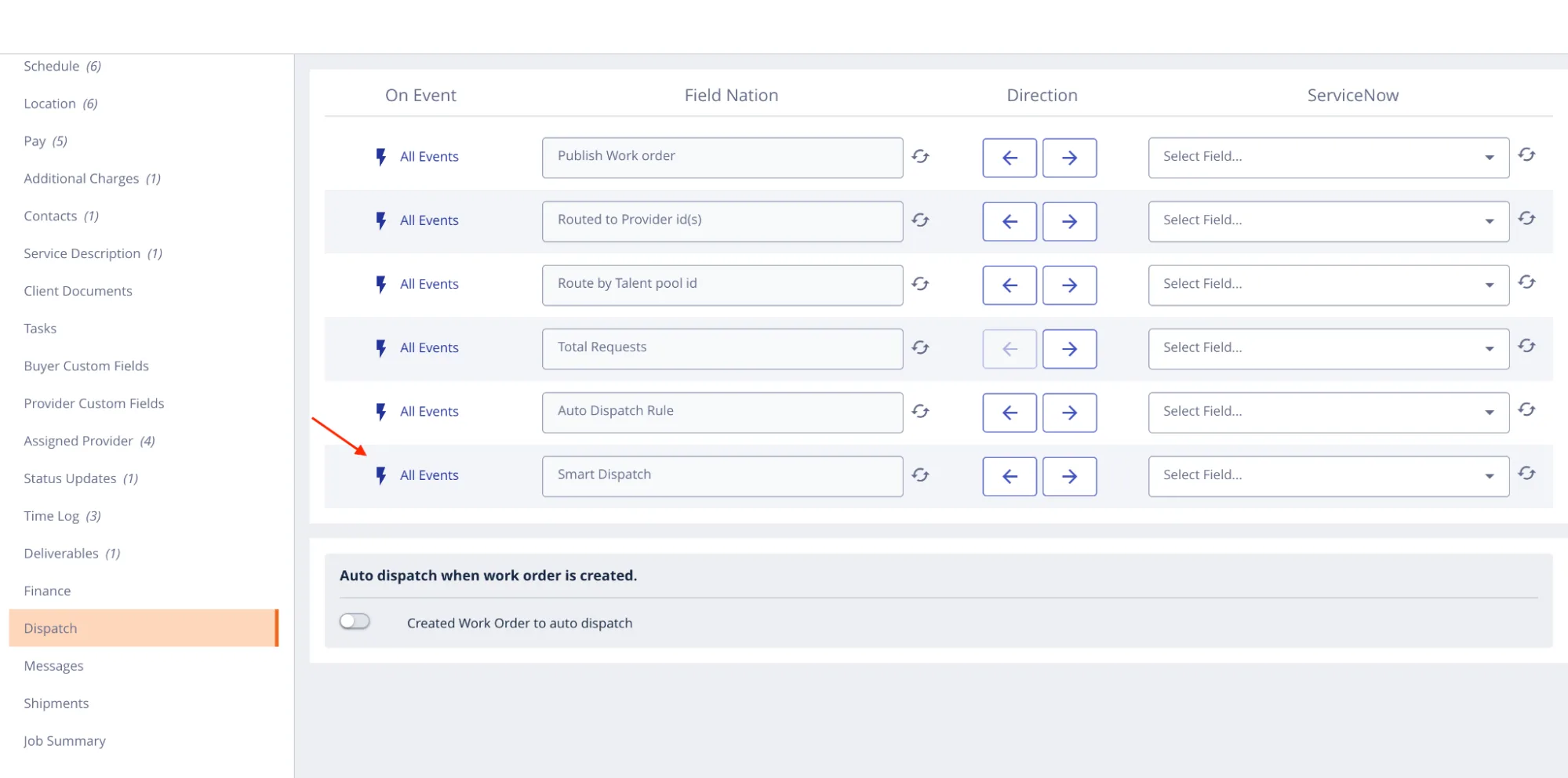
Acceptable data types can be both string or boolean to initiate the dispatch logic.
Prop
Type
Description
smart_dispatch?string | booleanWhen set to a truthy value, starts a time-bound provider assignment window using the project's Smart Dispatch rules. The work order must already have a valid service territory mapped. Sending a falsy value has no effect.
Sending any of the following values will start the Smart Dispatch process:
1 or '1'true or 'true'yes or 'yes'Any other value is treated as false and will not trigger the action.
{
  "user_controlled_service_flag": {
    "smart_dispatch": "true"
  }
}
Set smart_dispatch to any accepted true value in user_controlled_service_flag to initiate dispatch logic.
Message (example): Smart Dispatch triggered successfully for work order 12345
Unlike service territory mapping (which is non-blocking), Smart Dispatch triggering returns specific failure messages if the operation cannot proceed.
Last updated on
